
Adding a sub-user
- Sign in to the HorizonNode Billing Portal.
- Open your account menu and navigate to User Management.
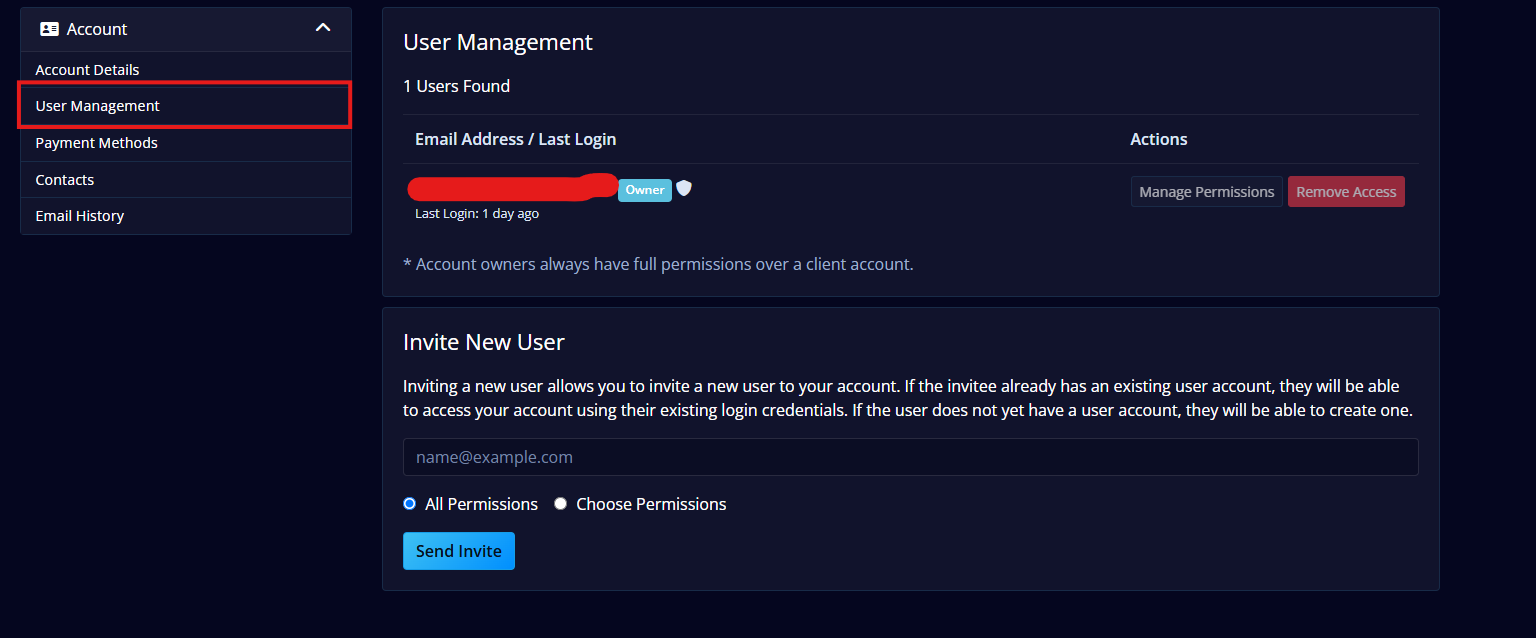
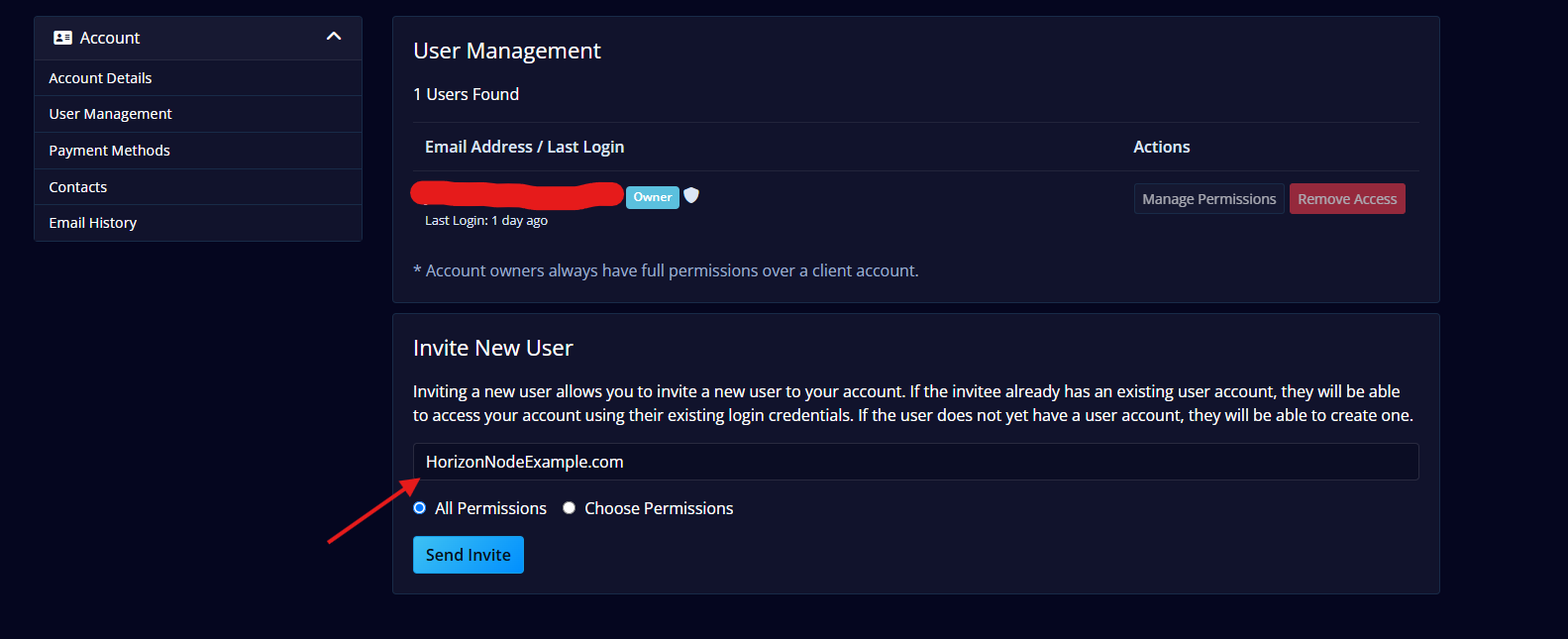
- Enter the user's email address in the invite field.
- Choose either all permissions or only the permissions that person needs.
- Click Send Invite.
The invited user will receive an email and can access the billing account using their own login.
Security tip
Only give sub-users the permissions they actually need. Avoid sharing your primary HorizonNode account credentials.
Find more account and billing help in the
HorizonNode Account and Billing Knowledge Base.
For additional assistance, contact our support team through Discord or the billing portal.